Facets are additional context layers that influence how a twin thinks and responds.
They can represent, for example:
Customer situations (e.g. First child)
Emotional states (e.g. Concerned, Excited)
Life stages or environments
Specific conditions relevant to your use case
Facets are defined individually for each organization or team and reflect your specific domain and needs.
When applied in an interview:
Facets modify the perspective of a twin
They are added as part of the system context
They influence how answers are framed and prioritized
Example: A twin representing married couples + the facet “First child” → responses will reflect the mindset, concerns, and priorities of new parents.
Use facets when you want to:
Explore specific customer situations
Add emotional or contextual depth
Simulate more realistic scenarios
Refine how a twin interprets your questions
You can explore all available facets in the Facet Gallery.
Click the Facet icon in the main navigation
Browse available facets in the gallery
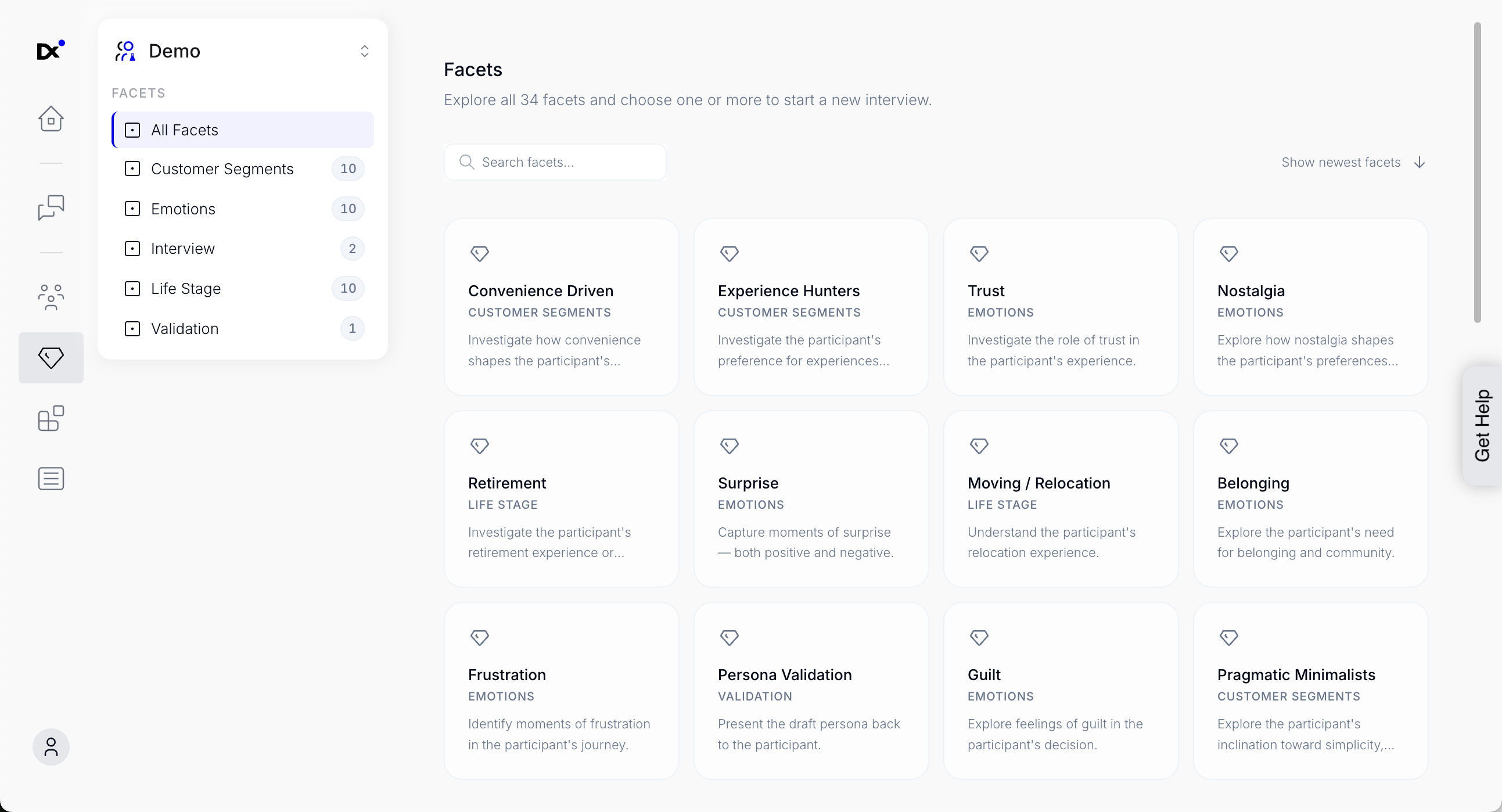
Facets are organized into collections (e.g. Customer Segments, Emotions), making it easy to explore related items.
You can also use search to quickly find specific facets.
You can directly use facets while exploring the gallery:
Select one or more facets by clicking on them
Click Start Interview in the top right
Continue configuring your interview in the setup dialog
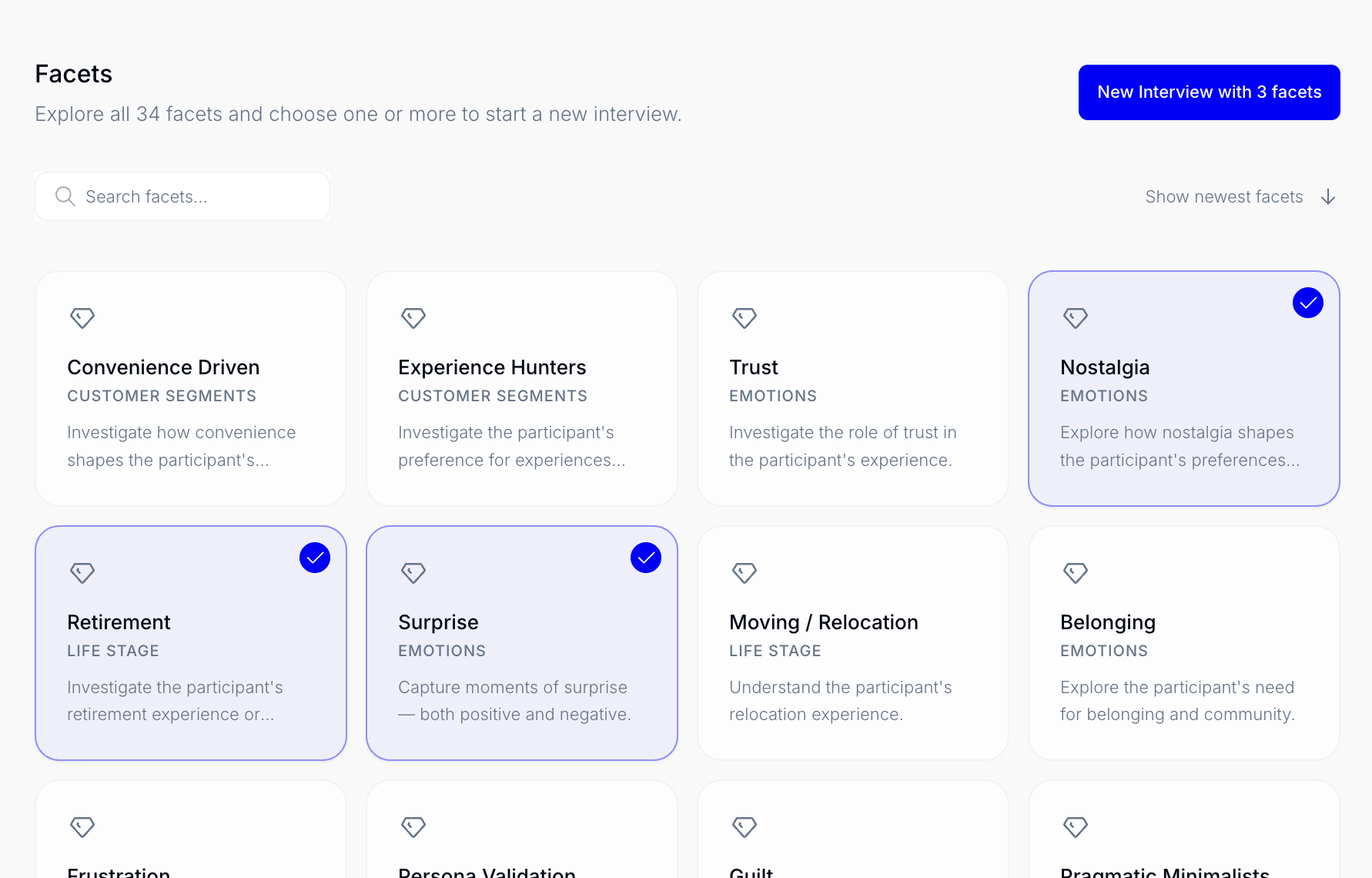
You can apply multiple facets at the same time to refine the perspective further.
Example: Married couple + First child + Financial pressure → results in a more specific and nuanced response.