A single-twin interview is exactly what it sounds like: one participant, one perspective, one response.
Only one answer is generated per message.
No summary is created.
You can still configure facets, methods, and tasks the same way as in multi-twin interviews.
You can switch to multi-twin anytime by adding participants during the interview.
There is no visible or technical difference in setup — the only difference is how responses are produced.
Multi-twin interviews allow you to explore multiple perspectives in parallel.
When multiple twins are selected:
The interface renders placeholders for each twin and one for the summary.
Each twin responds in parallel.
After all responses are complete, a summary is generated automatically.
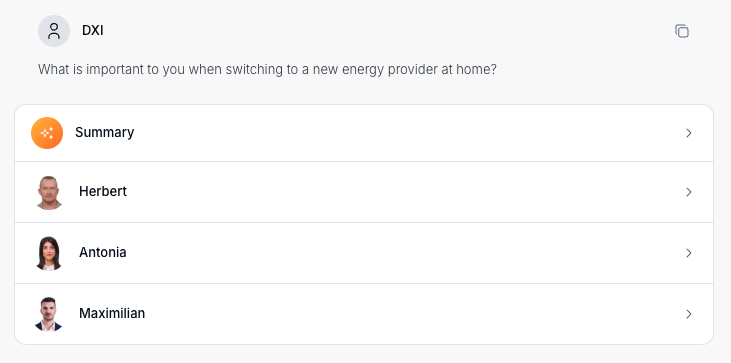
The summary is always created when more than one twin participates and cannot be disabled. It helps synthesize multiple viewpoints and typically highlights:
Similarities across responses
Key differences
Insights and takeaways
Suggested next steps or outcomes
All selected twins respond to every message.
Twins see responses from previous turns (including when participants change mid-interview).
Twins do not speak directly to each other — every turn is driven by a user message.
You can change the number of participants at any time, by changing your chat configuration:
Creating & configuring an interview
Interviews allow you to talk to one or more digital twins at the same time. You can configure exactly who participates and how they respond by selecting twins, facets, methods, and tasks before (or during) the conversation. This article explains how to create a new interview and adjust its configuration.
Use case | Best choice |
Deep dives into a specific audience or expert perspective | Single-twin interview |
Expert consultations or focused exploration | Single-twin interview |
Comparing perspectives quickly | Multi-twin interview |
Early-stage exploration of complex topics | Multi-twin interview |